
View Interrelated documents
This option allows you to view any documents that may be indirectly related to the selected record.
Note: This option is dependent on the interrelationships that have been defined in the Configuration Area.
Follow the below steps to view the interrelated documents for an integrated app record:
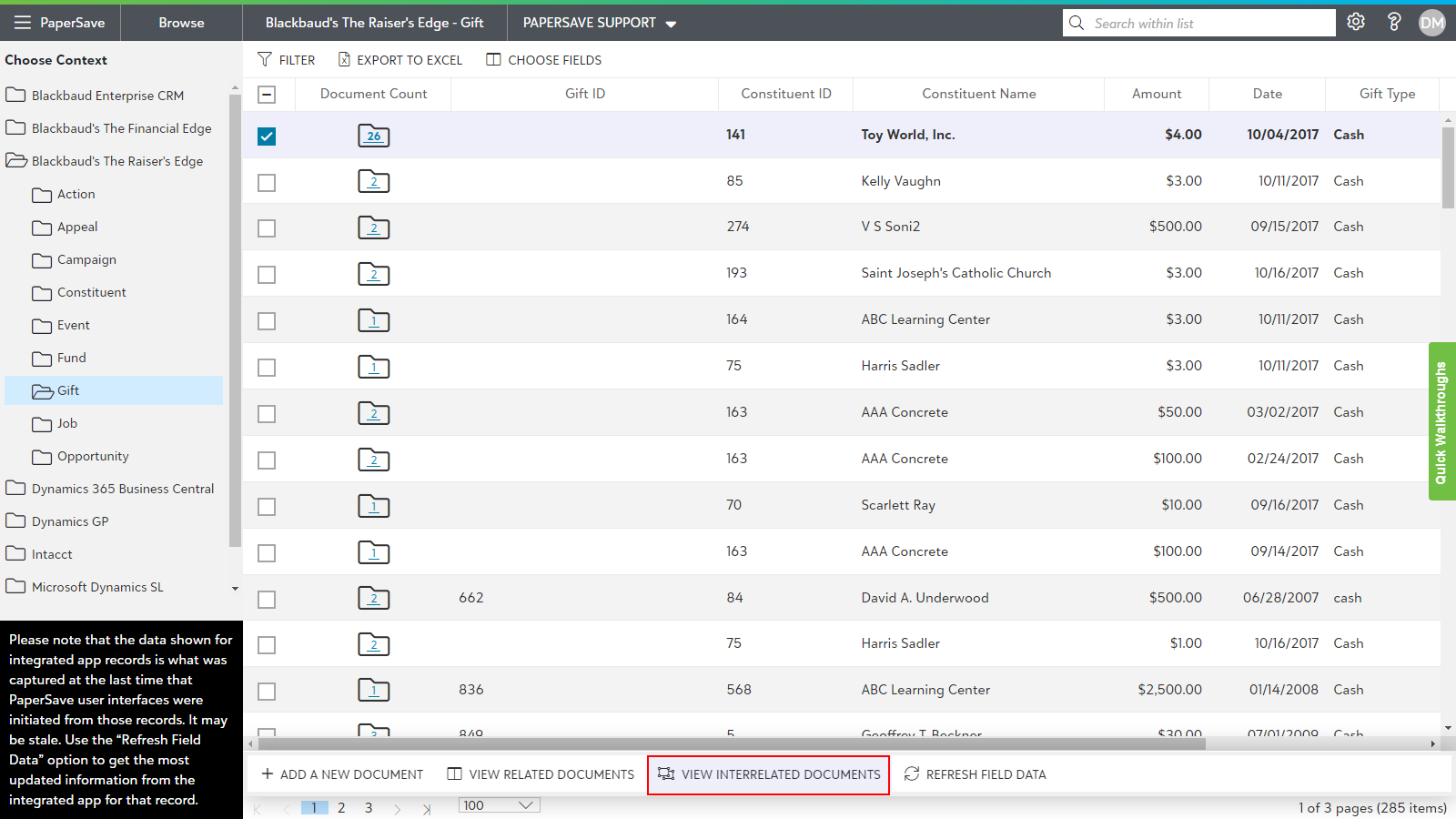
- Choose the context from the tree view for the desired record type in an integrated application.
- Select the record for which you wish to see the inter-related documents.
- A record list slide up panel will pop-up in the bottom of screen with the operations that can be performed on the single record.
- Click on "view interrelated documents" as shown below.
5. It shall display the list of interrelated documents for the selected record as shown below:
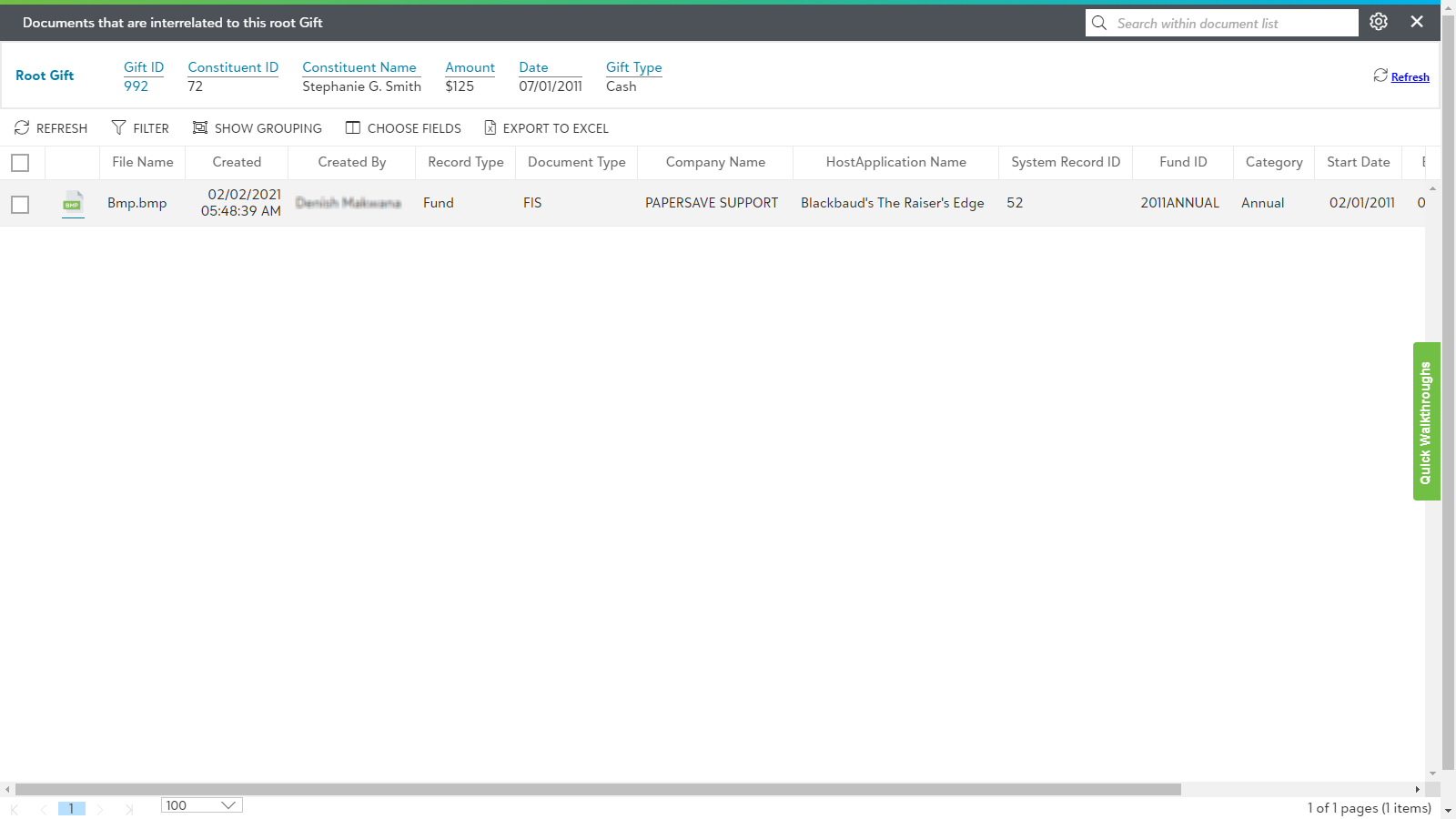
Tip: You can double-click on any document from the list to open it in the item viewer.